Shopify started as an online store builder in 2006. The POS product came later, initially as an add-on for merchants who wanted to sell at markets and pop-ups using the same catalog as their online store. That origin shapes how Shopify POS works today: it is deeply integrated with the online commerce side of the platform, and it treats the physical store as one channel among several rather than as a distinct environment with its own requirements.
For independent retailers who came to Shopify primarily for the in-store product, that lineage creates some interesting constraints. The inventory management, customer records, payment processing, and reporting that Shopify POS provides are strong. The checkout experience that a shopper actually has in a physical store, from the moment they walk in to the moment they leave with their purchase, has historically been thinner than the online equivalent.
What Shopify POS actually gives you at the counter
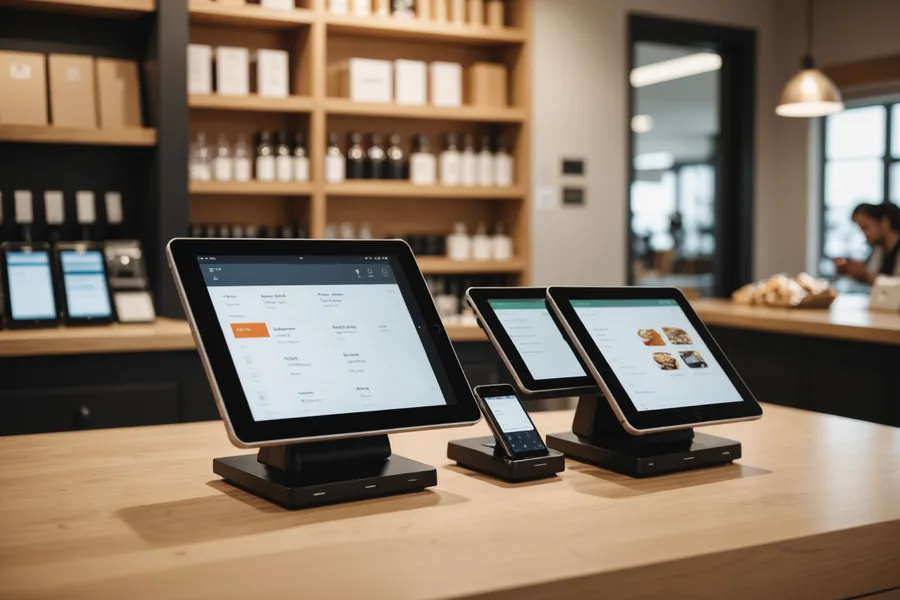
Shopify POS in its current form provides a staffed checkout register experience on iPad or iPhone hardware, with the Shopify card reader for payment processing. The staff-facing app handles product lookup (by barcode scan or manual search), cart building, discount application, custom sale lines, and tender. The customer-facing display, when a second device is mounted facing the customer, shows the cart and total during the transaction.
The system handles split tenders, partial payments, exchanges, and refunds natively. It syncs inventory with the online store in real time. Customer records created in-store are the same records the online store uses, so a shopper who buys in person appears in Shopify customers as a customer with purchase history, and can receive the same email marketing flows as an online purchaser.
What Shopify POS does not do natively is give the shopper any agency in the checkout process before they reach the counter. The shopper browses, selects items, brings them to a staff member, and the staff member processes the transaction. The shopper's phone is not part of the transaction unless they are paying with a digital wallet at the terminal. This is not a criticism of Shopify POS. It is a description of what the product is designed to do.
The gap between online and in-store experience
A customer shopping on a Shopify merchant's online store adds items to their cart at their own pace, can see item details, pricing, and stock levels, and completes checkout on their own device in a flow they control. The entire interaction is self-directed. The experience is well-designed because years of optimization have been applied to the online checkout funnel.
The same customer walking into the merchant's physical store browses without any digital interaction, picks up items, and joins a queue to have a staff member enter those items into the system on their behalf. The items are not linked to the customer's Shopify account until the transaction is complete and the staff member optionally adds the email. The shopper's purchase history, saved addresses, and payment preferences from the online store are not surfaced in the in-store transaction by default.
This gap is not a Shopify-specific problem. It reflects the historical separation between ecommerce platforms and physical retail point-of-sale systems, which were originally built on entirely separate technical stacks. Shopify has done more than most to close the gap by unifying the back-end data model. The front-end experience, meaning what the shopper sees and does, still lags the online equivalent in most physical Shopify stores.
Where the platform is expanding
Shopify has been investing in POS hardware capabilities with the Shopify POS Go device, which combines barcode scanner, card reader, and the POS software in a single handheld unit. This is primarily a staff-facing tool: it lets a staff member process transactions anywhere in the store without a fixed counter. It improves operational flexibility but does not change the shopper-directed dynamic.
The more interesting expansion is in the Shopify app ecosystem for POS. The POS app extensions introduced in the Shopify POS API allow third-party developers to add tiles and flows to the POS interface. This is how products like Leav integrate: not by replacing the POS, but by adding a new transaction flow that runs alongside it. The Shopify admin sees one unified view of inventory and sales. The shopper can checkout either at the counter using the standard POS flow or via mobile using the Leav flow. Both paths post to the same order records.
From the merchant's perspective, enabling mobile checkout does not require changing their POS configuration or hardware. They add the Leav app from the Shopify App Store, connect it to their store, and the mobile checkout path becomes available. The counter POS continues to work as before. There is no cutover, no retraining of staff on a new system.
Unified commerce and what it means practically
The term "unified commerce" has been in retail technology marketing for several years, and it has enough different meanings that it risks saying nothing. The concrete version of it that matters for a Shopify merchant is: does a customer who buys online and in-store have a consistent, connected experience with the same brand, and does the merchant have a unified view of that customer's activity?
For Shopify merchants who have their online and in-store channels running on the same Shopify account, the data unification is already largely in place. The gap is in the shopper-facing experience during the physical store visit. A shopper who has an account on the merchant's Shopify store, has saved their payment method there, and has bought twice in the past 12 months should be able to walk into the physical store and have that history recognized. Currently, most Shopify POS implementations do not surface that context at the counter unless the staff member looks up the customer by email or phone.
Mobile checkout can close part of this gap. When a shopper uses Leav in a physical store and the session is linked to their Shopify customer account (either because they enter their email for the receipt or because the payment tokenization matches a stored method), the in-store transaction posts to their account history the same way an online purchase does. The merchant's customer profile for that shopper becomes a real multichannel record rather than two separate transaction histories.
The merchant perspective from building on this platform
We built Leav on Shopify because the platform's POS API and payment processing infrastructure are genuinely strong, and because the merchants we work with are already there. We did not have to convince anyone to migrate their catalog or their payment setup. We integrated into the system they already trusted.
What the platform is still missing is a shopper-controlled checkout experience in physical retail that matches the quality of the online flow. That is the gap Leav fills. The Shopify infrastructure (inventory, payments, orders, customers) is the foundation. The mobile checkout layer is what makes the physical store experience consistent with what shoppers expect from a good digital commerce product.
The platform is mature enough that independent retailers can run serious multi-channel operations without the IT overhead that would have required three years ago. The in-store side is catching up to the online side, and the path is through the app ecosystem rather than through Shopify building everything natively. That is how platforms scale: they provide the infrastructure and let the ecosystem fill the gaps.
Try Leav free
Mobile checkout for your Shopify store. 14 days free.
No credit card required. Connect your store and go live in 48 hours.
Start Free Trial