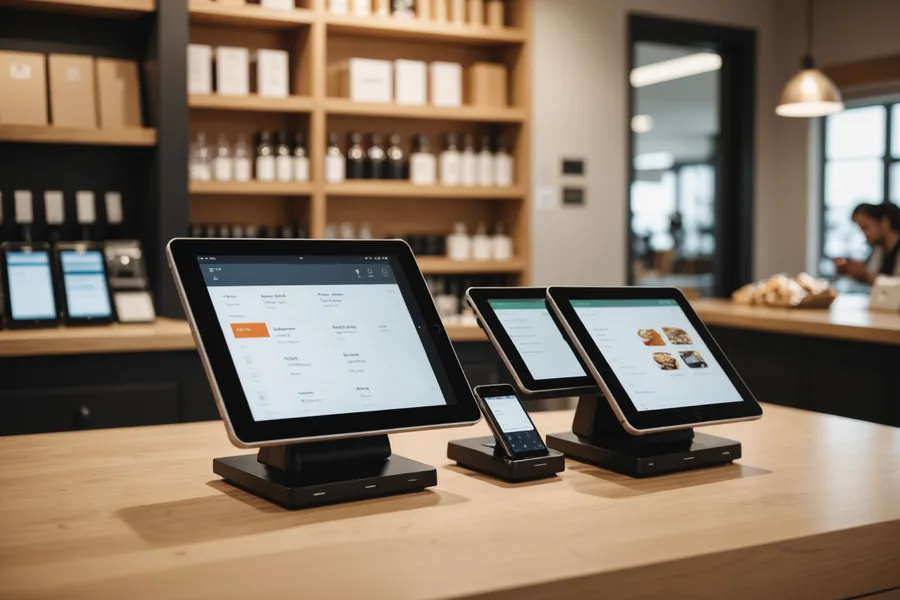
The most common misconception about adding mobile self-checkout to a Shopify POS store is that it means replacing something. It does not. Your Shopify POS stays exactly where it is. Leav runs alongside it as a second checkout path, using the same product catalog, the same inventory, and the same payment processing account.
What changes is that a shopper who does not want to stand in line can scan their items on their phone and pay without stopping at the counter. The staff workload does not increase because the transactions route through Shopify just like any other sale. Your end-of-day reports still balance the way they always have.
This guide covers the integration path, the few decisions you actually need to make, and the things you do not need to worry about.
What Shopify POS gives you before Leav is involved
Shopify POS uses Shopify's central product catalog as its source of truth. Every SKU you have set up in your admin, including its barcode field, price, variants, and inventory location, is already there. When Leav connects to your store via the Shopify Partner API, it reads the same catalog. There is no second database to maintain and no product data to re-enter. If you add a product in Shopify admin, it is scannable in Leav within minutes.
The same applies to inventory. Shopify POS tracks inventory at the location level. When a sale closes through Leav, it posts the same inventory deduction to the same location as a counter POS sale would. The inventory count you see in your Shopify admin at the end of the day reflects all transactions, regardless of which checkout path they came through.
The connection process
Connecting your store takes a few minutes and does not require any technical background. The process starts in your Shopify admin, not in a separate dashboard. You install the Leav channel from the Shopify App Store, authorize the standard permissions the integration needs (read products, write orders, read inventory locations), and complete a short store setup in the Leav merchant portal.
The permissions scope is intentionally narrow. Leav needs to read your product catalog to return accurate scan results, write orders to record completed transactions, and read inventory location IDs to deduct from the correct location. It does not need access to customer profiles, financial reports, or staff accounts.
After connection, you configure two things. First, which Shopify location the mobile checkout transactions should deduct from. If you have a single-location store, this is selected automatically. If you operate multiple locations on one Shopify account, you choose the physical location that corresponds to the store where Leav is running. Second, which payment methods to surface: Stripe-powered card processing is available natively, and Apple Pay and Google Pay are enabled by default on supported devices.
What you do not need to change
Your counter POS setup stays exactly as it is. Shopify POS staff PIN codes, tipping settings, hardware configurations, and receipt templates are not touched. Leav transactions appear in your Shopify orders view tagged with a source identifier so you can distinguish them in reporting if you want to, but they flow through the same order management workflow and do not require any separate reconciliation process.
You also do not need to retrain staff on a new system. The only thing staff need to understand is how the exit verification step works, which is a glance at a shopper's completion screen rather than any new software interaction. Most stores we have worked with find this takes less than a shift to become routine.
The decisions that actually matter
There are a few things that do require a deliberate choice. Shopify's inventory model supports multiple tracking strategies: some stores track every variant individually, others set specific products to not track inventory (typically for items sold in variable quantities by weight or where stock level does not constrain sales). Products set to "do not track inventory" in Shopify will still be scannable in Leav, but they will not produce an inventory deduction event. Make sure the tracking configuration in your Shopify catalog reflects how you actually want the store to operate.
Price overrides and manual discounts applied at the counter POS do not automatically carry over to mobile checkout. If you run regular staff-applied discounts (staff rate, loyalty price adjustments), you will need to either create Shopify discount codes that shoppers can enter themselves or configure a separate price group in your catalog. Ad hoc counter discounts are a counter-POS workflow; mobile checkout is a self-service flow and needs any discount logic to be codified in Shopify rather than applied in the moment by staff.
Age-restricted products require a stop-and-verify step. Shopify allows you to tag products with custom attributes. Any SKU tagged for age verification in Leav will prompt an in-app flag at the start of checkout, requiring the shopper to acknowledge verification. A staff member still needs to confirm age before the checkout completes. This is not optional, and the flag behavior cannot be disabled for tagged products.
A note on catalog readiness
Leav reads barcodes from the Shopify product catalog's barcode field. If your catalog has incomplete barcode data for some products, those products will not scan correctly. Before going live, it is worth running a quick export of your product list and checking how many SKUs have a populated barcode field. In our experience, most stores that have been running Shopify POS for over a year have reasonably complete barcode data, but recently added products or items sourced without standard retail packaging sometimes do not. A few hours of catalog cleanup before launch avoids a meaningful share of scan-fail incidents in the first weeks of operation.
The integration itself is not the complex part. The complex part is making sure the data it relies on is clean. Shopify POS stores that have maintained their catalogs carefully are typically live with Leav in under 48 hours from connection to first live transaction.
Try Leav free
Mobile checkout for your Shopify store. 14 days free.
No credit card required. Connect your store and go live in 48 hours.
Start Free Trial